
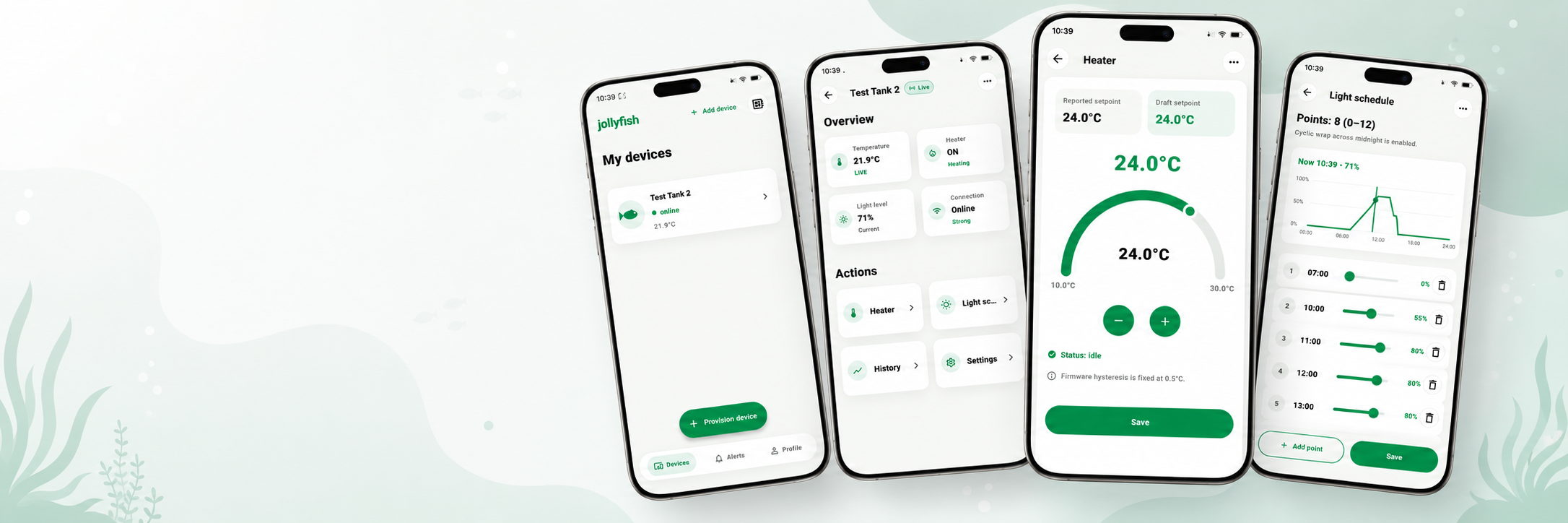
The AquaMaestro App
One app for aquarium routines; Schedules, alerts and manual control; Guidance for fish, creatures and plants; Better planted-tank coordination; Build your system around one connected view
AquaMaestro App | Control Your Aquarium Anywhere
The AquaMaestro app is the control centre of the platform. It is designed to give aquarium keepers one connected place to manage routines, review guidance and interact with compatible AquaMaestro hardware.
For users starting with a simpler setup, the app can support better day-to-day control by bringing core schedules such as heating and lighting into one place. As the system expands, the app can become the central view for routines, alerts, feed mode, maintenance mode, manual overrides, supported history and connected module data where available.
Benefits of AquaMaestro
Smart App Control
Control key aquarium routines from one connected app, including heating, lighting and schedules.

Automated Water Testing
Monitor supported water parameters with automated testing and clearer tank feedback.
Modular Expansion
Build your setup over time with compatible modules for feeding, dosing, probes and more.

Species & Plant Guidance
Get smarter guidance based on the fish, creatures and plants selected for your aquarium.
What makes the app more than a basic remote-control interface is AquaMaestro Species & Plant Guidance. Users can select the fish, aquatic creatures and aquatic plants in the aquarium so the app can provide suggested target ranges, highlight conditions for review and surface user-reviewed actions based on the aquarium setup and available data. Depending on the controller and modules selected, that data may include user-entered readings, schedules, probe inputs and automatic test results where supported.
For planted aquariums, the app may also help users review nutrient dosing, CO2 routines and lighting schedules. Public-facing copy should keep those actions carefully qualified: suggested, user-reviewed, user-approved, and dependent on confirmed compatibility.
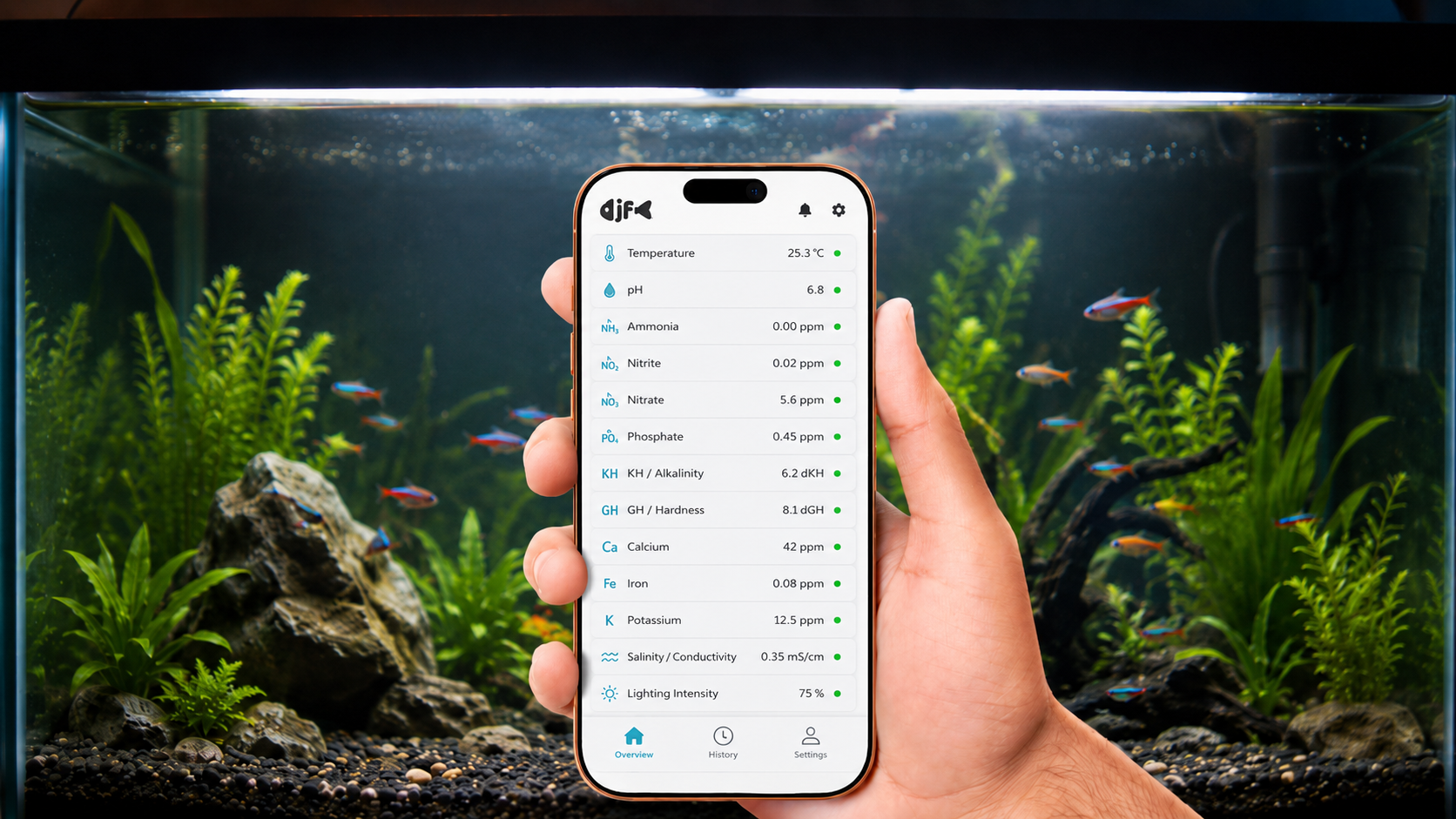
The most important promise of the AquaMaestro app is not that it controls everything automatically. It is that it helps users see more clearly, coordinate more reliably and act more confidently from one place.
Because the repo material reviewed here does not confirm final app-store platforms, pricing or release timing, this page should focus on the app’s role and benefits first. Store badges, download CTAs and platform-specific claims can be layered in once those details are approved.
Schedules in one place; Alerts and modes; Guidance and review
One app for aquarium control
The AquaMaestro app gives you one connected view of schedules, alerts, manual control and guidance. Review routines more clearly, trigger supported modes such as maintenance or feed mode, and see how your aquarium settings relate to the fish, creatures and plants you keep. As connected features expand, the app becomes the centre of the AquaMaestro experience.